
You can make both Code Assignment and Code Reminder templates via the Code Management Tool on your Administrator Dashboard.
To make a Code Assignment Template, navigate to the assign function either by clicking on the bulk assign option or to assign a specific course. Begin filling out your template. This can include a customized template name, subject link, greeting, and closing. The body cannot be edited as this is where code details populate. Make sure you click "Save Template" in the bottom right.
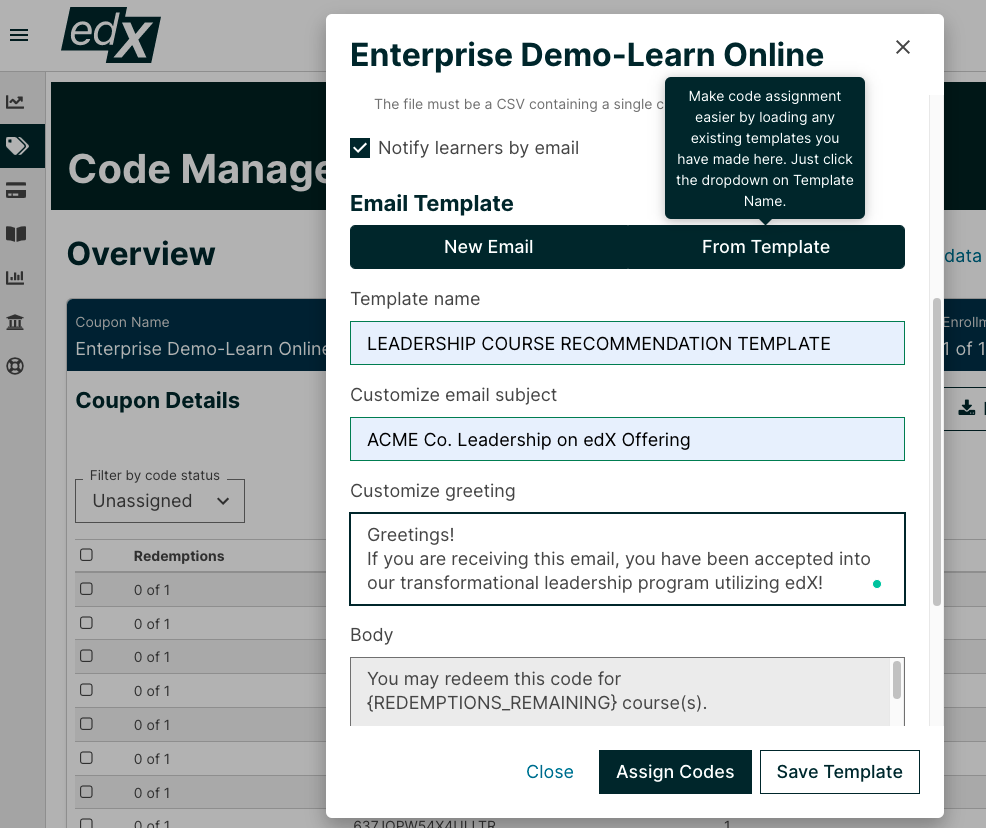
You can also create a Code Reminder Template by going to the remind function, either bulk remind or individual remind, and create your template the same way.
Once your templates are saved, you assign and remind codes using these templates. Simply click "From Template" after navigating to the Assign or Remind functions and select a template from the dropdown list.