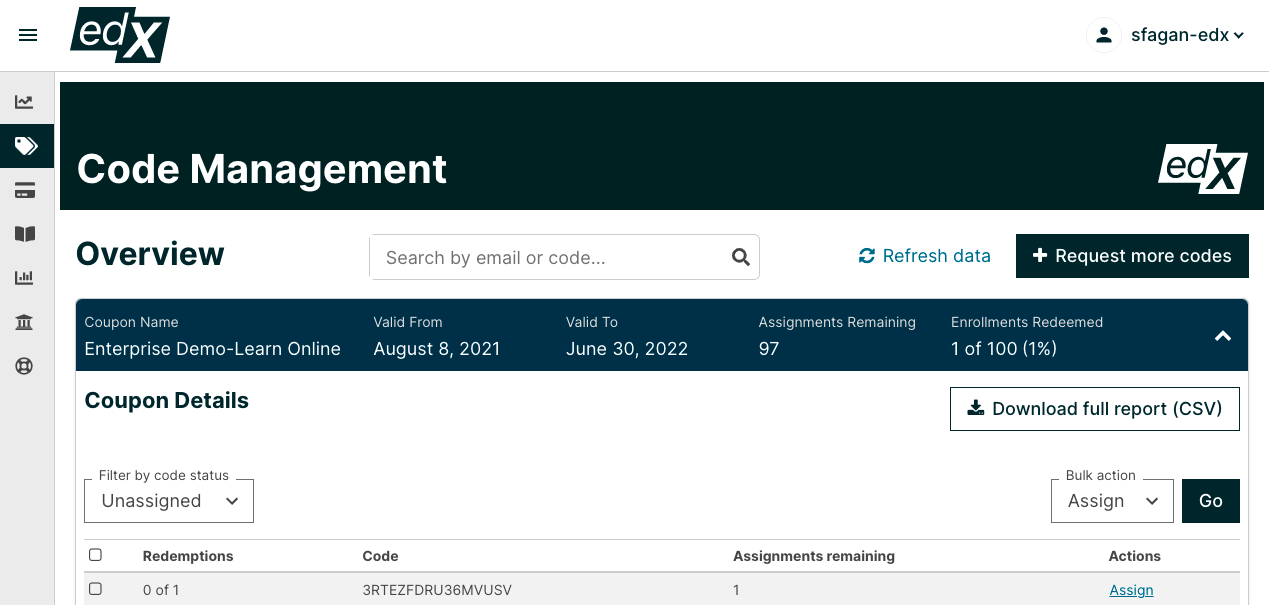
You are able to download your codes through the Code Management Tool on your Admin Dashboard. We do not recommend this method for code management as it can result in codes being assigned to multiple people or being used by one person while assigned to someone else. However, to download these codes, simply
- Go to the Code Management Tool
- Click on the code batch in question
- Select whether you would like to download Unassigned Codes, Unredeemed Codes, or Redeemed codes using the dropdown Code Status filter on the left side.
- Once you have selected which filter you want to use, click the "DOWNLOAD FULL REPORT (CSV)" button on the right side