
Select a specific user to authorise it for the web service:
- Navigate again to web service page (“Site administration > Server > Web services > External services” )
- Click on the “Authorized users” link in the row of the edx web service:

- You should see a page with two boxes that you can move users between. You need to choose to move the account that you would like to have access to use the web service (the account you created for edX, your account or some other account with enough permissions) by highlighting it in the “Not authorized users” list on the right and click “Add”.
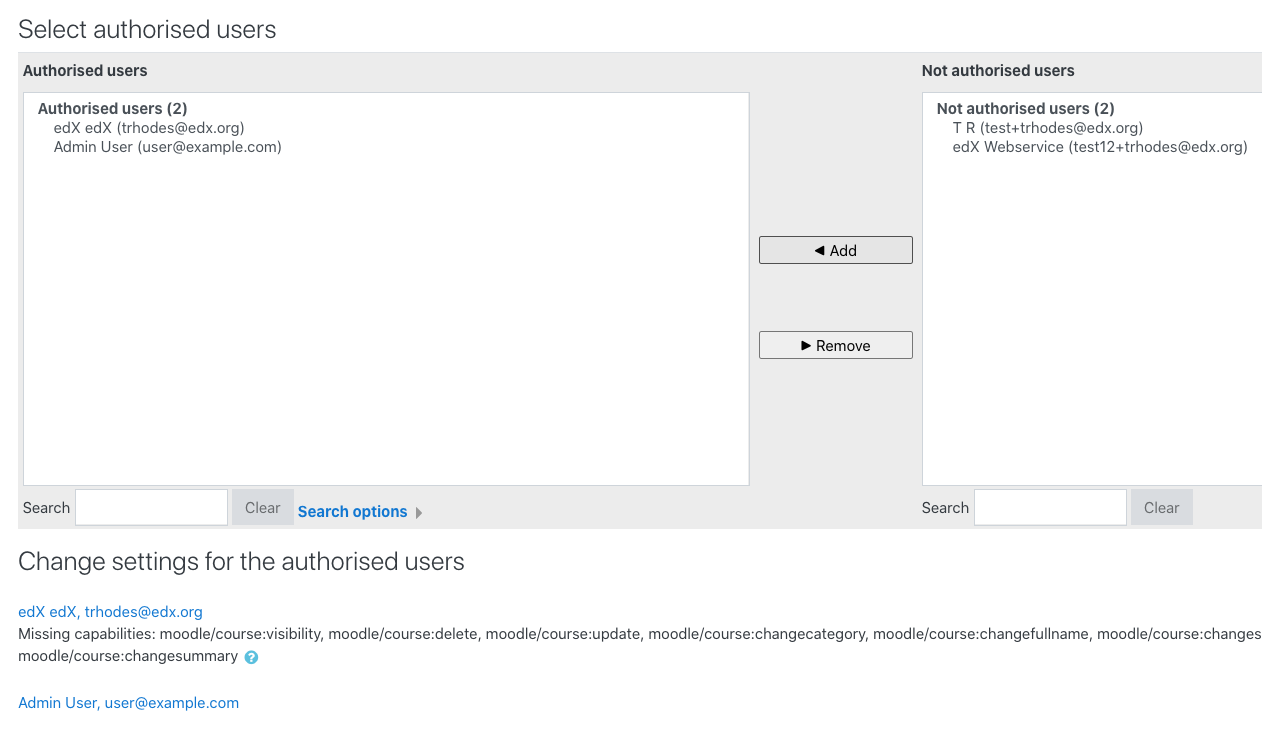
- The page will show you any permissions a user is missing at the bottom (Missing capabilities) - If you followed the instructions in Step 4, your user should have all the required capabilities.