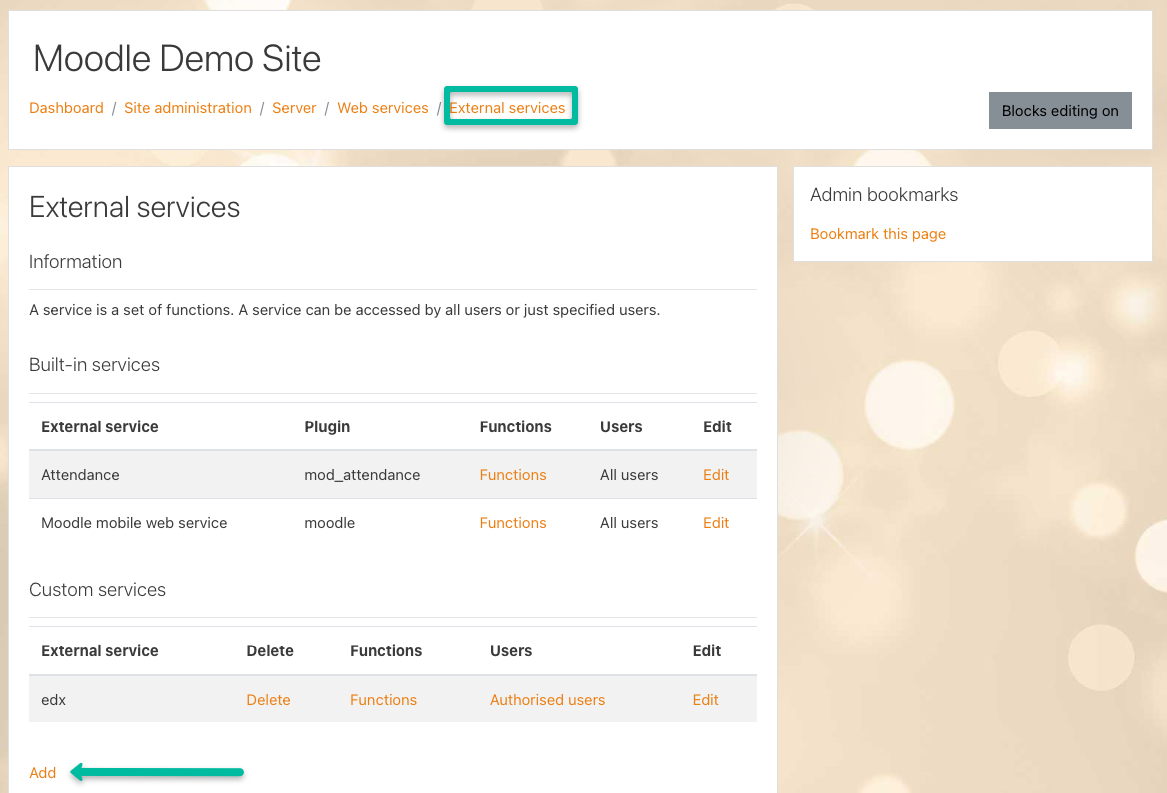
2.5 - Add the edX Moodle Integration web service to Moodle
- Navigate to “Site administration > Server > Web services > External services”
- From the “External services” screen, click the link “Add” to add a new custom service.
- Fill out the form to add a new service with the following fields:
-
- Name: “edx”
- Check the box next to “Enabled”
- Check the box next to “Authorised users only” - this will mean only users specified can use the API.
- After completing the form, click “Add service”.